Showing posts with label software. Show all posts

Wednesday, 26 November 2014

Researchers hope achieve Internet speeds of up to 10Gbps using 5G networks


http://static.digit.in/default/artImg198x166_17341.jpg?v=1 
Researchers are investigating how software-defined cellular networking might be used to give smartphone users the next generation of  ultra fast broadband – 5G.
Currently, the fourth generation of mobile phone connection technology, 4G, in as far as it has been adopted provides broadband-type connectivity for enabled devices such as smartphones, tablet computers, laptops and other gadgets through two standards: the Mobile WiMAX standard and the first-release Long Term Evolution (LTE) standard.
Peak speeds were set in the standards at 100 megabits per second (Mbit/s) for mobile users and ten times that for static, domestic 5G users, 1 gigabit per second. 100 Mbits/s is three times faster than the earlier 3G system but users commonly do not see data transfer at such high rates, downloads are usually at best 10 Mbits/s. As yet, there is no single standard for 5G although various systems are being touted based on rebuilding the cellular networks to be super-efficient and exploiting different frequencies with their capacity for greater data rates.
The hope is to be able to achieve download speeds of perhaps 10 Gbits/s, researchers said. In practice, this means that a high-definition movie can be downloaded in less than half an hour. The research is being undertaken by Ming Lei of Samsung Research and Development Institute China, Lei Jiang of NEC Laboratories, Beijing with colleagues at the University of Electronic Science and Technology of China in Chengdu, Beijing Jiaotong University and the University of Kurdistan.
They have assessed the latest developments aimed at 5G systems and have proposed their own novel end-to-end (E2E) software-defined cellular network (SDCN) architecture which
they say offers flexibility, scalability, agility and efficiency.
Moreover, it will be sustainable for providers as well as profitable, researchers said. They are currently building a demonstration system that will allow them to utilise several promising technologies in their architecture for 5G including cloud computing, network virtualisation, network functions virtualisation and dynamic service chaining.
The approach, they suggest, could overcome bandwidth shortage problems, improve quality of service so avoiding delays and data loss, as well as reducing the vast number of error-prone network nodes needed for such a system. The research was published in the International Journal of Communication Networks and Distributed Systems.
With inputs from PTI
http://images.techtimes.com/data/images/full/9486/high-speed-internet.jpg?w=600 
 

Sunday, 23 November 2014

Dictionary Pro v4.0 - Android Paid Application Free Download


https://blogger.googleusercontent.com/img/b/R29vZ2xl/AVvXsEiOJ7wmCj3HTjQwF2dMRyshrY0VDf6l_ZlFsQS_9HWO0Kg35LMG4AmSHkguET0ha3pzrrtqcBcUpj_h8qAuq1rQfGHthLEhCs2A8IMv-7VodFUlZiMyOcEZaRD7Y02PUj8MhHme0umMjBml/s1600/Dictionary+Pro+v4.0+-+AllTypeHacks.jpg


Dictionary Pro v4.0 - Full Android Application Free Download | 2.23 MB

The Free Dictionary PRO gives you the power of the world's most comprehensive dictionary with or without Internet, and with no ads! English, Spanish, and 12 other dictionaries, all available online or offline. Translate English into more than 40 languages and access dozens of other translation options without a connection. Plus all the content of the classic app, including multiple encyclopedias, specialty dictionaries, and thesauri, all from the most trusted sources.
Developer: Farlex.

Features Of This Application:
* No advertisements.
* Extensive offline content, including a more comprehensive offline English dictionary.
* Ability to download extensive offline dictionaries for 13 other languages: Spanish, French, German, Italian, Chinese, Portuguese, Dutch, Norwegian, Greek, Arabic, Polish, Turkish, and Russian.
* Ability to download offline translations of English into more than 40 languages.
* Dozens of other offline translation options.
* Multiple English dictionaries, featuring extensive definitions, pronunciations, usage sentences, etymologies, and more.
* Advanced Search options: "Starts with," "Ends with," and "In definition."
* Multiple thesauri, featuring synonyms, antonyms, related words, even images.
* Multiple encyclopedias, including Britannica, Columbia, Collins, even Wikipedia.
* Multiple specialty dictionaries, including Medical, Legal, Financial, Idioms, Acronyms and Abbreviations, and more.
What's New:
* Full support for Android versions including KitKat, Jelly Bean, Ice Cream Sandwich, Honeycomb, and Gingerbread
* New search bar and menu design, now compatible with modern devices
* Ability to install app to SD card
* Audio pronunciation fix
* Keyboard fix for games
* Facebook and Twitter share fix
* Other bug fixes


Download Dictionary Pro v4.0 For Android Free From Bellow:


Additional information:
Updated: April 23, 2014
App Type: Books & Reference
Size: 2.23M
Installs: 10,000 - 50,000
Version: 4.0
Requires Android: Varies with device
Official Google Play Page

Transformers: Revenge of the Fallen - Repack 2.3 GB - Full PC Game Free Download


http://torrent-igry.org/_ld/4/433.png
Transformers: Revenge of the Fallen (or simply Transformers 2) is a 2009 American science fiction action film directed by Michael Bay and executive produced by Steven Spielberg. It is a sequel to 2007's Transformers and the second installment in the live-action Transformers series taking place two years after Transformers. The plot revolves around Sam Witwicky (Shia LaBeouf), who is caught in the war between two factions of alien robots, the Autobots and the Decepticons.
Screenshots......
http://wiimedia.ign.com/wii/image/article/799/799700/transformers-the-game-20070626050308510.jpg 

http://screenshots.en.sftcdn.net/en/scrn/64000/64387/transformers-the-game-18.jpg 


http://static.giantbomb.com/uploads/original/0/5765/211973-transformers_game_1.jpg

Developer: Beenox Studios.
Publisher: Activision.

Features Of This Compressed Game:
Repack Full Game To 2.3 GB.
Easy To Install and Play With Guide.
No Game Crash Issue.
Full Install Feature Available.
Full Version With Pre Activated.
100% Checked and Secure (Tested By ATH Team)
Minimum System Requirements:
CPU: Intel Core 2 Duo E6400 2.13GHz or AMD Athlon 64 X2 Dual Core 4800+
RAM: 1 GB RAM
VGA: Nvidia Geforce 7600 GT 256MB or ATI Radeon X1600 Series
DX: DirectX 9.0c
OS: Windows XP (with Service Pack 3) or Windows Vista
HDD: 5 GB or More Free Space


Download Transformers Full Game Direct Link Or Torrent From Bellow:
Download Direct   Download Torrent
 
How To Install This Game:
 1. First Open - "setup.exe" Setup File.
 2. Now Select Which Location You Want To Save This Game ...... Default Is Your Program Files
 3. Wait Few Minutes (10-20 Min)
 4. All Process Will Complete Automatically.
 5. After All Done You Can See a Shortcut On Desktop. (Play Transformers Revenge of the Fallen)
 6. Now Click and Open The Game From Shortcut.
 7. Play And Enjoy ......... :)

***This is a Full Version Game. No cut scene, no audio cut from this game.
 

Mobile Number Locations Pro - Android Paid Application Free Download


https://lh3.ggpht.com/Xkuo6cr4BVjSRIzJI9Kyqp3houybiKlBUh5W_ecfnXizauFU5wCLSJCZIvvkRg7l8A=h900

Mobile Number Locations Pro - Full Android Application Free Download | 3.49 MB
 
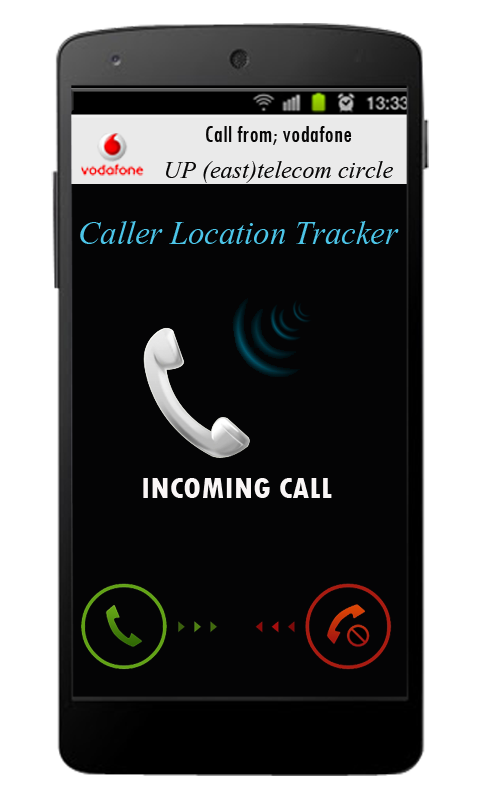
Mobile Number Locations Pro enables you to know location of Incoming Calls, Mobile Contacts, Mobile Numbers & any Phone Numbers. Browse your Mobile Phone Contacts sorted by locations (at Country/State/City level). Block Calls and SMS from unwanted mobile phone numbers & Callers. It will also show Telephone Operator of the mobile or landline phone number initially assigned to. For all incoming calls, it also tells time of last communication with that mobile or landline phone number.
https://lh4.ggpht.com/5je1iwDGlhlrp5oYrRrg94Ot_fHw3yR63r578lL6CxnF7iXuvW87j83U0cZ0sRGXK_8=w170https://lh4.ggpht.com/Ok18W0HxJLC2Z-CW3_w3AY2rq1-6uUWd7bjIV8jh2VT_vQRfPKVKOXV7hhA7_QP_FZQR=w300 
Developer: MobiSparks. 
 
Following countries are supported: USA, Canada, India, United Kingdom(UK), China. 
 
Features Of This Application:
★ Displays Location(Country/State/City) of Incoming and Outgoing Phone Calls automatically on Call Screen Display.
★ Position to show Call Details Screen can be changed by dragging the Screen displayed on Call Screen while making/receiving Calls.
★ Browse PhoneBook Contacts sorted by Location (at Country/State/City level).
★ Displays time of last Communication with that phone number.
★ Notification about geographic location(at Country/State/City level) of Incoming Calls.
★ User friendly and robust User Interface for app navigation.
★ Trace/Search any phone number for its location.
★ View Recent Call Log/PhoneBook Contacts with geographic location(at Country/State/City level)
★ View Operator details for all Phone numbers.
★ Call block phone numbers as required. 
 
https://lh5.ggpht.com/mBhXBVihoCmxWzll01eBC7uN0FixPX9wQRHPYMo_TvgnSnmZiBmMe4my_3ou6C3TZGB0=h900 
Note: It will tell the Country/State/City of the phone number initially assigned/registered to and not the current location of the caller (i.e. actual physical location or GPS location or actual city while in roaming). For India, it will show at state level for mobile numbers and at city/district/state level for landline numbers.
What's New:
Kindly mail us at phone2location@gmail.com for any issues.
Recent Changes:
Awesome User Interface
Support for multiple themes
Updated database for India
Added District info for India
Performance Improvements
Several Bug Fixes

Download Mobile Number Locations Pro For Android Free From Bellow:
 
Additional information:
Updated: September 12, 2014
App Type: Tools
Size: 3.49M
Installs: 1,000 - 5,000
Version: 5.1
Requires Android: 2.3.3 and up
Official Google Play Page

Use Case:
1.Trace location(city or state) of unknown phone numbers.
2.Browse your mobile contacts sorted by city or state.
3.Trace location(city and state) of any mobile and landline telephone numbers......
 

Lockdown Pro Premium - Android Paid Application Free Download

http://3.bp.blogspot.com/9-YzC8Jvcd6S3wth_yDAtlohOFpiJDS-H10v52JP_5R-LJnKXqLjVQXNBi-PVkI_80E=h900


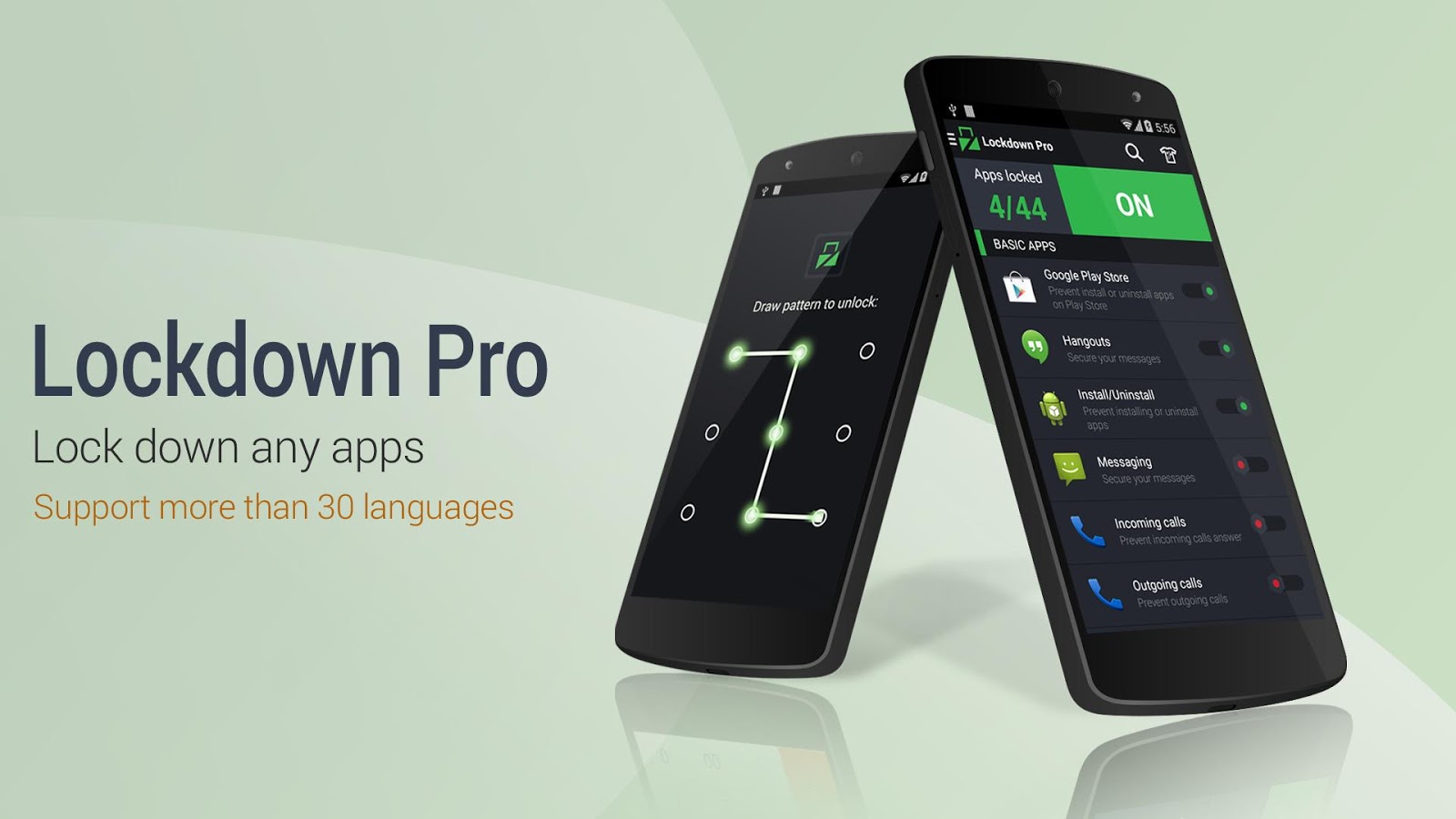
Lockdown Pro Premium 2.0.5 - Full Android Application Free Download | 5.9 MB
 
★ Lockdown Pro is the BEST applock, supporting more than 30 languages. ★ Lockdown Pro can lock any app, such as SMS, Gmail, Facebook, Whatsapp, SnapChat, Instagram, Viber, Line, Evernote, lock install/uninstall etc. ★ Lockdown Pro can hide pictures, videos (support .gif image).

Developer: AppPlus.Mobi.
Features Of This Application:
Lockdown Pro is the BEST app lock and privacy protect tool, it can lock any app, such as SMS, Gmail, Facebook, Whatsapp, SnapChat, Instagram, Viber, Line, Evernote, etc and special apps including Lock install/uninstall apps, Lock incoming calls, etc.
One-tap to lock Apps.
Taking pictures after wrong password.
Auto send email with some info and pictures of the person who wants to access your phone.
Auto lock & unlock when you get in/out your setting locations.
Auto lock & unlock when connect/disconnect with wifi.
Active lock apps with a SMS
Three password modes: Pattern Lock, Classic Lock & Calculator Lock and More.

What's New:
Support hiding images (GIF included) and videos.
Re-new user interface by material design.
Added ripple effect same as Android L.
Re-new and added more themes with ripper effect.
New feature trusted devices, support lock/unlock by smart watch.
Added instruction video reset password and turn on fake cover.
Ask for permission:
+ GET_ACCOUNTS: restore premium version when you receive app as gift
+ BLUETOOTH: use for feature trusted devices.
 

Download Mobile Number Locations Pro For Android Free From Bellow:
 
Additional information:
Updated: November 18, 2014
App Type: Tools
Size: 5.9M
Installs: 500,000 - 1,000,000
Version: 2.0.5
Requires Android: 2.3 and up
Official Google Play Page
 

Microsoft Lumia 535 India launch scheduled for November 26

http://www.usporedi.hr/Repository/Products/42415/Nokia-Lumia-535-specifikacije-karakteristike_2_460x460.png
Microsoft is holding an event on November 26 in India where it is most likely going to launch its first WP8.1 smartphone without Nokia, the Lumia 535. The invite sent out to the media puts a lot of emphasis on the letter 5 which obviously points to the latest member in the entry-level 500 series.
http://download.support.nokia.com/ncss/PUBLIC/en_IN/smartguidance/GUID-B54A29DF-229A-4CE9-AAF0-8F374D014186/touch-drag-portrait-8_10_1.pnghttp://download.support.nokia.com/ncss/PUBLIC/en_IN/smartguidance/GUID-B54A29DF-229A-4CE9-AAF0-8F374D014186/marketplace-overview-8_10_1.pnghttp://download.support.nokia.com/ncss/PUBLIC/en_IN/smartguidance/GUID-B54A29DF-229A-4CE9-AAF0-8F374D014186/touch-pinch-portrait-8_10_1.pnghttp://download.support.nokia.com/ncss/PUBLIC/en_IN/smartguidance/GUID-B54A29DF-229A-4CE9-AAF0-8F374D014186/clock-alarm-set-8_10_1.png
Also it doesn’t make any mention of the smartphone in question, but NPU highly suggests that it’s the Microsoft Lumia 535. The handset was previously rumored to arrive in India by the end of November so this adds to the possibility of it getting launched in the next few days. However, we doubt that the company will make it available for purchase on the same day as its reveal....
http://www.windowappreviews.com/wp-content/uploads/2014/11/Lumia-535.png


What makes this handset so popular is that it carries a cheap price tag of €110 and also packs a good deal of features. It runs on the latest Windows Phone OS release and is powered by a 1.2GHz quad core processor with 1GB of RAM.
There are dual cameras as well, both 5MP sensors, and dual SIM card slots with HSPA+ connectivity. Additionally, Microsoft has thrown in a 5-inch qHD IPS display and a 1905mAh battery.
Microsoft Lumia 535 specs at a glance:
– 5-inch 1HD IPS touchscreen, Gorilla Glass 3
– Windows Phone 8.1
– 1.2GHz quad core processor
– Dual SIM support
– 1GB RAM
– 8GB storage, 128GB expandable
– 5MP front and rear cameras
– 1905mAh battery
You should be able to pre-order the Microsoft Lumia 535 soon after it gets launched in India and we expect it to be released later this month or early December. Also, the phone isn’t likely to cost more than Rs 10000....
 

Xiaomi Redmi Note phablet coming at Rs 9,999: All you need to know

Xiaomi Redmi Note’s rear camera is all of 13MP, while the 5MP front facing camera should keep the sefie-holics happy.


Xiaomi is expected to start selling of Redmi Note, priced at Rs 9,999, in India in a couple of week's time.                         


The madness that we Indians love to import from China is set to find its crescendo once again, most probably for a few Tuesday starting December. The Redmi Note, the latest opportunity Xiaomi, is giving us Indians to queue up virually on our favourite e-commerce site, is expected to start selling in a couple of week’s time. The Indian site of the smartphone startup, that calls itself an e-commerce company, has already listed the phone at an unreasonably low price of Rs 9,999.
http://www.tradingshenzhen.net/wp-content/uploads/2014/05/salepic_redmi_note.png
Before all you decide that this is next phone you guys want to buy though you would have to subject yourself to the ignominy of having to enter a virtual line, something we Indians would never do in public, we thought you should read up what this phone gives you for Rs 9,999.
http://www.gadgetpilipinas.net/wp-content/uploads/2014/06/Mi-3-colors-3.png

The Redmi Note is a phablet, as suggested by the name. But unlike the Samsung Galaxy Note this one does not give you a stylus. But then that would have been too much to ask for at this price point. RedmiNote The phone is powered by an octa-core MTK 6592 1.7GHz processor from MediaTek. It has a 5.5-inch HD IPS display that will draw power from a 3,100 mAh lithium-polymer battery. The rear camera is all of 13MP, while the 5MP front facing camera should keep the sefie-holics happy. Overall, not a bad deal at Rs 9,999. Not a bad deal at all.

But then that is what Xiaomi is selling, the compelling value for money proposition. There is no other company that will give you an octa-core processor or a 13MP camera for under Rs 10,000. That should be a good reasons to test you faster finger first for a few Tuesdays before the new year.

Saturday, 22 November 2014

Internet users in India to cross 300 million by next month


The number of internet users in India would reach 302 million by December 2014, registering a year-on-year growth of 32 percent over last year, a study said in New Delhi on Wednesday.

The report, ‘Internet in India 2014′, is jointly published by the Internet and Mobile Association of India (IAMAI) and IMRB International.

The internet in India took more than a decade to move from 10 million to 100 million and three years from 100 to 200 million. However, it took only a year to move from 200 to 300 million users, it said.

According to the report, the number of internet users in urban India has grown by 29 percent from October 2013 to reach 177 million in October 2014. It is expected to reach 190 million by December 2014 and 216 million by June 2015.

Compared to last year in rural India, internet users have increased significantly by 39 percent to reach 101 million in October 2014. It is expected to reach 112 million by December 2014 and 138 million by June 2015.

“In October 2014, there were 278 million internet users in India. Currently, India has the third largest internet users’ base in the world but it is estimated that by December 2014, India will overtake the US as the second largest Internet users’ base in the world,” the study said.

China currently leads with more than 600 million internet users while the US currently has an estimated 279 million internet users.

The report also stated that in urban India, for nearly 93 percent of the respondents, the primary use of internet is for search, followed by online communication and social networking.


However, in rural India, entertainment is the primary reason for internet usage, followed by communication and social networking.

Tuesday, 18 November 2014

First look: Android 5.0 Lollipop turns your device into a new phone


It always pays to be a Nexus owner, when Android updates come around. Although my Nexus 4 may not have some of the spiffy features that some other Android flagship phones, like the Samsung Galaxy Series have, the one thing you can count on is that your OS will receive the newest iterations of the Android software before anyone else. And better yet, given that it is a ‘pure’ Android experience, you can experience the OS as Google intended you to, without tweaks from manufacturers, like for instance, a Samsung or HTC.
android_lollipop_006

Android 5.0 Lollipop arrives for Nexus 4!

My LG Nexus 4 received the Lollipop update early this morning, and I have been playing around with it for a few hours now. And at first look, it seems to be a fun, more colourful update with some definite improvements to user experience. Android Lollipop adopts the new Material Design that ensures flatter design. The OS now looks clear and clutter-free with flat icons. It is certainly a much bigger change from the last update, KitKat, which only made incremental changes to the JellyBean OS. This in comparison, is a complete overhaul of the User Interface, in terms of both design and usability.
Here are some of the changes we have noticed:

* You can do more from the lock screen


The new update allows you to read messages, see Google cards (like weather or traffic updates) and even access settings on your device without having to unlock your phone. So that means you can toggle WiFi, Blue Tooth, Airplane mode, auto rotate and mobile network straight off the Lock screen. Perhaps taking a cue from its most popular apps, Google has also added a flashlight to its settings screen, which uses the camera flash light as a torch.

You also have the option of hitting ‘reply’ or ‘delete’ on mails or texts that you receive even when your phone is locked. However after selecting one of the options, you will be required to unlock your phone to proceed further. I can see the usefulness of this feature for those of us with kids, who may unwittingly delete that important office mail!
android_lollipop_001

Icons get a new look

* Notifications have changed


Notifications now look more like Google cards – black text on white backgrounds, and they have been moved to the centre of the screen for better visibility. You can also pull down and collapse notifications for more information, unlike earlier, when you had to tap on the notification to see it in its entirety. This means you can just glance at your notifications and decide whether or not you actually need to unlock your phone to read a mail now or later. Overall, it’s a much cleaner look.

android_lollipop_004
Spruced up notifications

* You can create guest profiles


Similar to how you can with a computer, you can create guest profiles for other users on your device. Once a profile is created, guests can customize it with their own apps, wallpaper and so on. Guests can also adjust device settings like WiFi, which will affect all users of the device. This is possibly more useful for the Nexus tablet series, which more often than not becomes the family computing device. So that means that adults will no longer have to swipe through three screens of games to get to the app they want to use. Much appreciated.

* It’s more colourful


The look and feel of the entire OS has changed. Icons for Mail, Contacts, calculator and a lot of the native apps on the phone have been revamped. The colours are brighter and there is a slight 3D effect on some of the app buttons, like for instance contacts.

Google cards are also more colourful. The titles of the cards now have banners, and when you click on them, you actually get more information than you used to. For example, one of the cards on my phone was for updates on the India-Sri Lanka one day series. When I click on the title of the latest card (which shows me the result of the fifth ODI), I also get images, a roster of the entire Sri Lankan team, and a link to more information on both teams including the official sites, Wikipedia entries and news articles.
One other change is that ‘Galleries’ are now called ‘Photos’ – this meant it took me quite a while to locate the pictures on my phone!
android_lollipop_002

The new Material Design is awesome

* The Keyboard is different


The keyboard is now black letters against a white background, which is a complete switch from the familiar black Android keypad we are used to seeing across devices. The keys are also bigger and clearer. The enter key and the emoji key are highlighted in cyan blue. However I couldn’t detect any significant difference in terms of usability. Perhaps the update will make it easier for beginners to type. It is definitely a nicer keyboard though.

Verdict so far: 


Although it is far too early for me to pronounce definitive judgement on Lollipop either way, the first few hours I have spent playing with it have given me plenty to be excited about. The notifications and the whole new look, make me feel almost as if I have bought a new phone, with plenty of goodies waiting to be discovered. From a usability perspective, I’m not sure what the new update will do to the battery life of the device, nor have I had the opportunity to connect it to a WiFi network yet – both of which have been listed as issues with the update. We will just have to wait and see...


Sunday, 16 November 2014

Microsoft releases first Lumia smartphone without Nokia label

While not a great departure from its predecessor, the handset's branding represents a new chapter for the mobile devices.


The Lumia 535 is the first handset from the line to dump the Nokia brand.


The Microsoft Lumia 535 made its debut Monday, notable for being the first Lumia handset to lose the Nokia label.
Microsoft bought Nokia's phone business in April for $7.2 billion in a deal that allowed the division to continue to produce phones with the Lumia name adorned on them. The deal also allowed Microsoft to keep using the name Nokia on new phones for a brief time, but that brand is being phased out in favor of the name Microsoft Lumia.
Although the new handset runs Windows Phone 8.1, the latest version of Microsoft's mobile operating system, the sequel to the Lumia 530 is decidedly aimed at the lower end of the market. It sports a quad-core 1.2GHz Qualcomm Snapdragon 200 processor and a 5-inch 960x540-pixel display. Like its predecessor, the Lumia 535 has a plastic back and clean lines with rounded corners, though in a bigger and slimmer package.
While the new handset doesn't represent much of a rebirth for the handset lineup, the new branding signifies a new chapter for the mobile devices, which have struggled in the marketplace. The smartphones, which have featured bright colors and a reputation for powerful cameras, barely make a dent as far as sales go, except in a few emerging markets. But Microsoft's branding may mean a new lease on life for Lumia smartphones.
Microsoft's Windows Phone platform could use a jumpstart as well. The OS has yet to gain much traction with consumers, powering just 2.5 percent of the world's mobile devices, according to market researcher IDC. In comparison, Google's Android OS runs on nearly 85 percent of mobile devices worldwide.
In the short term, making phones isn't proving lucrative for Microsoft: restructuring costs associated with its absorption of Nokia have proved a drag on profit in its most recent financial results, although Microsoft sold 9.3 million Lumia phones in the quarter, up 5.6 percent from the record 8.3 million devices sold this time last year.....

AppMgr III (App 2 SD)

                       https://blogger.googleusercontent.com/img/b/R29vZ2xl/AVvXsEgpqkzU_QAIaflJIyENc3p89_Tt-EH6_wSdGLw40ktuCFebuS6ktlSQVdXKw81nnBiuXlb48tok2Mqmu0Os51D5b2Tfv7JROcUJUk-zuwI8l4fPnRAOMwJIpHYOmajHKeZc62uSrheXzOMb/s1600/Capture1.PNG
AppMgr III (App 2 SD)- Free & Full Android Application Free Download | 2.6 MB
  
You don't care for all the apps your carrier adds to Android? Well, now you can get rid of them! This component enables you to hide system (built-in) apps from the app drawer.


Developer: App Mgr III (App 2 SD) For Android Developed By -Sam Lu.

Features Of App Mgr III:
★ Move apps: moves apps to either internal or external storage for getting more available app storage
★ Hide apps: hides system (built-in) apps from the app drawer
★ Freeze apps: freeze apps so they won't use any CPU or memory resources
★ App manager: manages apps for batch uninstalling, moving apps or sharing apps with friends
* Over 20,000,000 Downloads! *
★ new I.C.S style UI, themes
★ batch uninstall apps
★ batch move apps to external storage
★ notify when movable apps installed
★ hide apps from app drawer
★ freeze apps to a stop state
★ 1-tap to clear all cache
★ batch clear apps cache or data
★ batch view apps on Google Play
★ export the app list
★ install apps from the exported app list (PRO-only)
★ quick uninstall or move an app by drag-n-drop
★ sort apps by name, size or installation time
★ share customized app list with friends
★ support home screen widgets
★ support Android 2/3/4
★ support "Move2SD Enabler"
★ customizable notification sound, vibrate and light

What's New:
★ support app 2 s.d function for more HTC phones
★ show About pages by usin current theme setting
★ fixed: widget shows a negative cache size for some cases
★ bugs fixed

Additional information:
Updated: April 10, 2014
App Type: Tools
Size: 2.6 MB
Installs: 10,000,000 - 50,000,000
Version: 3.28
Requires Android: 2.2 and up

Download AppMgr III (App 2 SD) For Android Free From Bellow:


How To Download Your All Data From Facebook

http://2.bp.blogspot.com/qTjFRAkS4P-5Tfrr_ovb9CbpDcM2DQopnSMqZ_lzsWVLnK-2x649xbULVXma6ulLZido=w705


                              Download Your All Facebook Data


Facebook has added a new download button in your account that will help you move all your data out of Facebook as a zip file. It will have all your photos, videos, messages, and everything else that you may have ever uploaded to Facebook.

The process is extremely simple. Just go to your Account Settings page and click the “Download Your Information” link.


You will receive a mail in your Inbox, follow the link. (You need to login again through the link given for security reasons).

[ Note: Here “Inbox” refers to the E-mail through which Facebook account has been linked with. ]


Download New Facebook Messenger v2.1.4814.0 Offline Installer For PC Free


Download Facebook Messenger for Windows 7/8/XP/Vista (Offline Installer)


Facebook is a wonderful solution to communicate with friends, and also  chat feature is especially useful for the Facebook lovers .We know that Facebook chat feature is obtained when only  after logging to the Facebook and then only chatting feature is enable but it has some limitations .

For those of you who just want be online on Facebook, this messenger app is made for you. Here’s you would get an offline installer of this app. Keep on reading to learn how to download facebook messenger for windows.

If you don't want to always have your browser open in order to use Facebook's chat feature, there are a variety of clients that let you take chat and other Facebook features . In online there are many messengers supports Facebook Friends  Chatting . along with them Facebook Messenger is also one of the Desktop chatting client used for Facebook friends chat from the PC without login to the Facebook account in web browser .

Facebook Messenger for Windows Standalone Features:
 This app enables you to install it without being online
 You can install this app on any PC you want to install
 You can use this messenger to send messages, pictures and files to your Facebook friends.
 You need not to go to the Facebook’s website to send messages, this app holds all your messenger needs.

How to Download and Install Facebook Messenger for Windows:
Click on the bellow download link to download Facebook Messenger.
Download this Offline Facebook Messenger app on your PC and Double click on It.
This app will automatically install on your PC, by clicking on to Next button. You can place this app anywhere you want to place.

Download Facebook Messenger v2.1.4814.0 For Windows PC From Bellow: